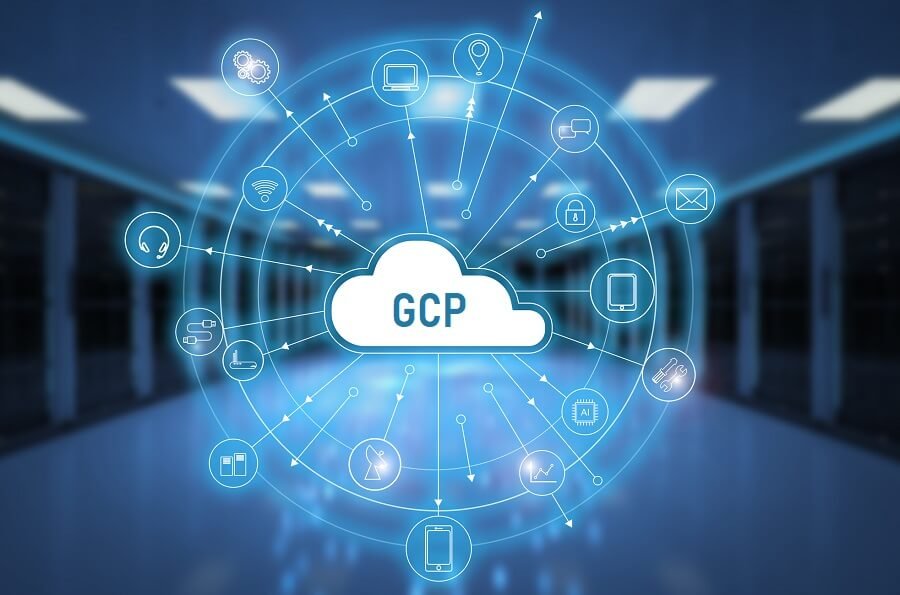
Category: Computing

  • What is OSS (Open Source Software)? Advantages and precautions when using

    What is OSS (Open Source Software)? Advantages and precautions when using

    OSS is free software that allows you to freely modify or redistribute the source code.
    Well-known OSSs include Java, PHP, and Python.
    In recent years, IT vendors have often participated, and OSS plays an important role in software development.
    This time, we will introduce the basic knowledge and attractiveness of OSS, and the merits of using it.


    What is Open Source Software (OSS)?

    Open Source Software is an abbreviation for OSS. Software whose source code is open to the public free of charge and whose use, modification, and redistribution are freely permitted.

    Contrary to OSS, software that has restricted access to or modified source code is called “proprietary software.” Generally, software source code is intellectual property, so it is sold with a license fee. Most commercial software is proprietary software and the source code cannot be modified.

    Typical OSSs include Linux as an operating system, MySQL as a database management system, Java as a programming language, Perl, PHP, Python, and Firefox as a web browser, and are widely used in various fields.
    Although OSS is free of charge, many are known to have high performance and high reliability, and companies often develop based on OSS for commercial use. In particular, OSS is indispensable for developers because there is much excellent software in the fields of programming languages ​​and development environments.

    The appeal of OSS and why it spreads

    Why is OSS so widely used in a wide variety of fields? I will explain the charm of OSS.

    OSS Open Source Software

    ● OSI license document

    OSS is free software, but it is not without terms and conditions. The Open Source Initiative (OSI), a non-profit organization that certifies OSS, manages OSS licenses. Whether the software is OSS depends on whether the license (Terms of Use) meets the “The Open Source Definition”. Once the license is approved by OSI, the software is officially recognized as open source and bears the “OSI Certification Mark”.


    ● OSS definition (10 items)

    The OSS definition has the following 10 items. Software with a license that complies with these is certified as OSS.

    1. 1. Freely allow redistribution
      2. Distribute the source code free of charge
      3. Allow distribution of derivative software
      4. 4. Make it clear which part of the source code is the author’s original code (the integrity of the author’s code)
      . Do not discriminate against individuals or groups
      6. Do not discriminate against the field of use
      7. The rights associated with the program shall be equally granted to all redistributors (license distribution)
      8. Do not license only for specific products
      9. Do not license to limit other software
      10. License is technically neutral
    • Reference
      https://opensource.org/osd


    ● Reasons for the spread of OSS

    OSS has the feature that anyone can freely improve and redistribute. As a result, users around the world cycle through the process of finding, improving, and fixing bugs in the source code. As a result, the stability of the software and the ability to develop high-quality products at a low cost are the reasons why OSS is widespread.
    In this way, the idea of ​​advancing development while disclosing product content and information is called the “open source movement.”


    Benefits of using OSS

    Not only is it free of charge, but there are other benefits to using OSS. Here, we will introduce the advantages of using OSS as a user.


    ● Reliable

    Since the source code is open to the public, it is reliable because it is possible to constantly check for malicious programs and vulnerabilities. Even if a vulnerability is discovered, it is characterized by quick correction.


    ● High stability

    Proprietary software may be terminated or discontinued due to the circumstances of the provider. However, OSS can continue maintenance as long as there are users. Therefore, stable use can be expected for a long period.


    ● Cost reduction is possible

    Since OSS is free of charge, you can expect integrated cost reduction. Not only the initial cost but also the license management after an introduction and the regular replacement cost can be reduced, so it will be useful in software development.


    Precautions when using OSS

    I will explain the knowledge that you should know when dealing with OSS.


    ● Must be license compliant

    When introducing OSS, it is important to confirm the target license type. OSS is licensed individually for each software. Users are required to use the license in compliance with the license, so be sure to check the OSS license before using it.
    In a word, there are various types of licenses, and it is said that there are more than 70 types. For example, when redistributing the software, it depends on the software, such as whether to require the release of the source code and whether to indicate that the source code has been changed. Some licenses limit the purpose of use in the form of “free for research purposes and paid for commercial use”. Therefore, it is important to understand the contents before use.


    ● Not “free = OSS”

    OSS is released free of charge, but not all software available for free is OSS, unless specifically stated as “OSS”. If it is not OSS, you cannot freely modify or redistribute it even if it is free of charge, so be careful when using it.


    ● Derivatives are also OSS

    Derivative works that have been improved and redistributed from OSS are called “derivatives”. Among the OSS license types, the one that requires special attention is the license called “copyleft type”. Copyleft is a term that expresses the idea that “copyleft should be available to everyone, including secondary works while retaining copyright.” GPL, LGPL, CPL, etc. are known as typical copyleft licenses.
    The copyleft OSS license states that “improved and redistributed derivatives must be distributed under the same conditions as the original work.” For example, if a developer improves his software based on OSS, he is not free to change to other licenses or terms. In addition, if you modify an OSS that has a copyleft license, you are obliged to publish the source code.


    High reliability and versatility are the appeals of OSS

    OSS has been developed with high quality and excellent reliability and stability because it can be used secondarily by anyone, and is used by many people.
    Another advantage of OSS is that it can be freely customized according to your company’s services and is more versatile than existing software.
    In recent years, companies have also developed their products based on commercially available OSS.
    OSS is indispensable for software development. When using OSS, make sure you understand the license form and contents before using it well.


    How to smoothly find the best supplier for system development

    Are you having trouble choosing a system development company?
    Japan’s largest system development company portal site ” Order Navi ” will thoroughly support the selection of the optimum development company that is close to your company by experts with abundant achievements.
    Introductory record: 10,600 (as of January 2021)

    Finding a subcontractor is an important task that will influence the future of business. However, there are endless questions and worries, such as “

    I don’t know what to look for …”
    , “Where is the subcontractor that suits my company …?”, “I’m
    worried about the cost …”

    There are many.
    Ordering Navi is the best partner to find and select the best outsourcing to help your company.
    In addition to the system companies listed in this article, we can introduce the most suitable development companies!


    Follow us on Facebook for updates and exclusive content! Click here: Each Techy
  • What is GCP? Explains how to use, what you can do, and merits of introduction by features and services

    What is GCP? Explains how to use, what you can do, and merits of introduction by features and services

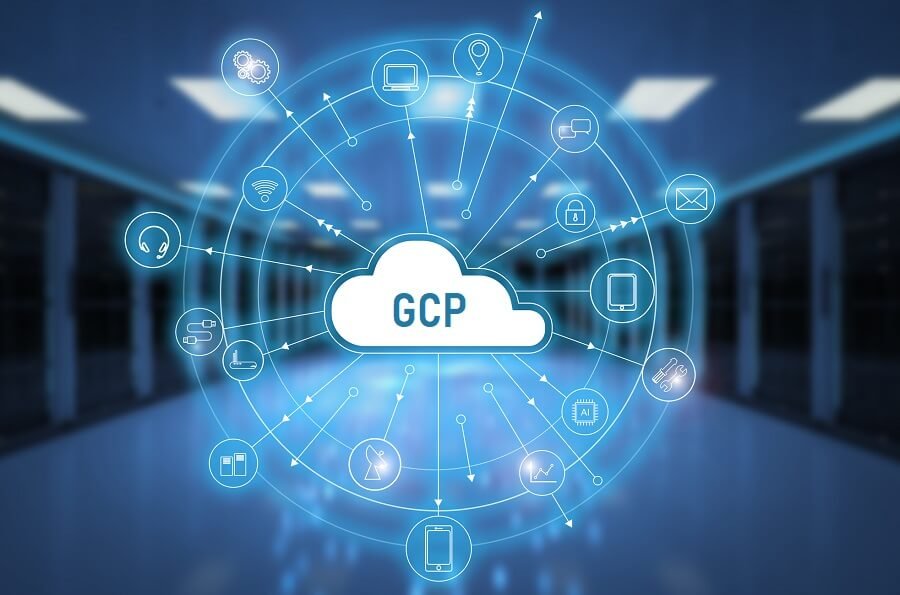
    GCP (Google Cloud Platform) is a cloud service operated by Google. In this article, we will explain the features, how to use each service, what you can do, and the advantages of introduction compared to AWS. If you are interested, please refer to it.


    1. What is GCP (Google Cloud Platform)?

    GCP is an abbreviation for “Google Cloud Platform,” a cloud service operated by Google. Google operates a search engine “Google” and a video sharing platform “YouTube”, and uses GCP as its infrastructure. In other words, even general companies and individual developers can realize the same infrastructure environment as Google by using GCP.

    By the way, GCP is often compared with “AWS” operated by Amazon. Both AWS and GCP are world-famous public clouds, and each company often discusses which one to use when introducing cloud services.

    In conclusion, GCP is cheaper for simple services. On the other hand, in terms of robustness and generous Japanese language support, AWS is often favored.

    1.1 Examples of typical services of GCP (Google Cloud Platform)

    We would like to introduce two typical services of GCP.

    ■ Google App Engine
    Fully managed application platform. The standard application languages ​​available are PHP, Python, Ruby, Node.js, Java, C # and Go.
    It also comes with a Docker container that allows you to install your own language and library framework.

    ■ Google BigQuery
    A multi-cloud data warehouse that supports large-scale data analysis. It has a built-in machine learning function and can be flexibly scaled up according to the amount of analysis data.
    In addition, according to a survey conducted by The Enterprise Strategy Group, Inc, the total cost of holding large-scale analytics over a three-year period can be reduced by 26% to 34% compared to other cloud data warehouses.

    1.2 Is GCP (Google Cloud Platform) charged? free?

    GCP has a free tier for each service. Therefore, if you use it within the free tier, you can use it for free.

    You will be charged if you use the service beyond the free tier. The fee structure is a pay-as-you-go system, and you will be charged for the excess.


    1.2.1 Free trial and free tier

    GCP offers two free trials and free slots. A free trial is a free trial service worth $ 300 for 90 days after you start using GCP.

    The free tier provides a separate usage amount that can be used free of charge for each GCP service.
    As an example, I will introduce a typical App Engine and BigQuery free tier.

    ■ App Engine

    resourceFree allocation
    “F” instance28 hours free per day
    “B” instanceFree for 9 hours per day
    Data transfer (downlink, outward)1GB of daily traffic is free

    See also: App Engine resources


    ■ BigQuery

    resourceFree allocation
    storage1TB free per month
    “B” instanceFree for 10GB per month

    See also: BigQuery resource


    1.2.2 Estimated cost

    GCP costs are calculated on a pay-as-you-go basis for each product. Please check the official website for details on each product .

    An English version of the pricing tool is also available. With this tool, you can simulate costs based on what you use.

    ▸ Price calculation tool

    2. [By service] What you can do with GCP (Google Cloud Platform)

    What is GCP? Explaining how to use, what you can do, and merits of introduction by features and services [Freelance engineer project information | Professional engineer]

    There are many GCP products and services, and many people don’t know what they can actually do. Here, we will introduce what you can do with GCP for each service that has many GCP users.

    Unless otherwise specified, the price list introduced in each item is based on the assumption that the Tokyo region is used.

    2.1 Computing

    GCP has several computing services that provide scalable virtual machines. Here, we will introduce three services.


    2.1.1 Google Compute Engine

    Source: Compute Engine | Google Cloud

    Google Compute Engine is a service that provides compute resources in the form of IaaS (Infrastructure-as-a-Service). Virtual machines can be combined with OS, CPU, memory, etc. according to the purpose.

    In addition, virtual machines are built on Google’s infrastructure, so you can take advantage of large workloads, performance, and stability.

    In addition, the cost is a pay-as-you-go system that is charged according to the specifications of the environment and the usage time.

    The hourly rate is as follows.

    Machine typeNumber of virtual CPUsmemoryFee (US $)Preemptive fee (US $)
    n1-standard-113.75GB$ 0.06$ 0.01
    n1-standard-227.5GB$ 0.12$ 0.03
    n1-standard-4Four15GB$ 0.24$ 0.05
    n1-standard-8830GB$ 0.49$ 0.11

    See also: General purpose machine type


    2.1.2 Google App Engine

    Source: App Engine | Google Cloud

    Google App Engine is a platform for PaaS (Platform-as-a-Service) format application development and hosting. It provides a mechanism to easily start the application.

    In addition, the layers below applications such as middleware are completely managed by Google App Engine. Therefore, the feature is that the burden on the developer such as environment update and patch application is reduced.

    The hourly rate is as follows.

    Machine typeNumber of virtual CPUsmemoryFee (US $)Preemptive fee (US $)
    n1-standard-113.75GB$ 0.0610.01325
    n1-standard-227.5GB$ 0.1220.0265
    n1-standard-4Four15GB$ 0.2440.053
    n1-standard-8830GB$ 0.4880.106

    Reference: General purpose machine type family


    2.1.3 Google Kubernetes Engine

    Google Kubernetes Engine is a cloud service that provides an execution environment for Docker containers. By creating a Kubernetes cluster on Google’s infrastructure and deploying a Docker container, you can deploy the container in seconds.

    Two types of operation modes are provided, and the charge system changes depending on the mode.

    [Autopilot mode]
    This is a fully provisioned cluster configuration mode. Cluster configuration options are created automatically.

    [Standard mode]
    This mode allows the user to flexibly set the infrastructure.

    The hourly rates are as follows. The price will be in Autopilot mode.

    itemprice1 year guaranteed discount price (US $)3-year guaranteed discount price (US $)
    GKE Autopilot vCPU charge (vCPU-hours)$ 0.06$ 0.05$ 0.03
    GKE Autopilot Pod Memory Charge (GB-hours)$ 0.01$ 0.01$ 0.00
    GKE Autopilot Ephemeral Storage Fee (GB-hours)$ 0.00$ 0.00$ 0.00

    See: Autopilot mode pricing

    2.2 Storage

    Storage is the place where you store your files and data. GCP is developing various services to store files and data on the cloud.

    Here, we will introduce three famous services.


    2.2.1 Google Cloud Storage

    Google Kubernetes Engine is a cloud service that provides an execution environment for Docker containers. By creating a Kubernetes cluster on Google’s infrastructure and deploying a Docker container, you can deploy the container in seconds.

    Two types of operation modes are provided, and the charge system changes depending on the mode.

    [Autopilot mode]
    This is a fully provisioned cluster configuration mode. Cluster configuration options are created automatically.

    [Standard mode]
    This mode allows the user to flexibly set the infrastructure.

    The hourly rates are as follows. The price will be in Autopilot mode.

    itemprice1 year guaranteed discount price (US $)3-year guaranteed discount price (US $)
    GKE Autopilot vCPU charge (vCPU-hours)$ 0.06$ 0.05$ 0.03
    GKE Autopilot Pod Memory Charge (GB-hours)$ 0.01$ 0.01$ 0.00
    GKE Autopilot Ephemeral Storage Fee (GB-hours)$ 0.00$ 0.00$ 0.00

    See: Autopilot mode pricing

    2.2 Storage

    Storage is the place where you store your files and data. GCP is developing various services to store files and data on the cloud.

    Here, we will introduce three famous services.


    2.2.1 Google Cloud Storage

    Cloud SQL is a cloud service that provides relational databases such as MySQL, PostgreSQL, and SQL Server. Because it is fully managed, maintenance costs such as patching can be reduced.

    The advantage of using Cloud SQL is not only high availability and performance, but also that it can be easily linked with other GCP services such as Compute Engine.

    Cloud SQL pricing consists of three pricing items.

    <Hourly charge for CPU and memory>

    Fee (US $)1 year guaranteed usage discount3-year guaranteed usage discount
    vCPU$ 0.0537 per vCPU$ 0.04$ 0.03
    memory$ 0.0091 / GB$ 0.01$ 0.00
    HA vCPU$ 0.1074 per vCPU$ 0.08$ 0.05
    HA memory$ 0.0182 / GB$ 0.01$ 0.01

    <Hourly storage and network charges>

    price
    storageSSD storage capacity: $ 0.221 / month
    HDD storage capacity: $ 0.117 / month
    Backup capacity: $ 0.104 / month per GB (usage)
    HA storageSSD storage capacity: $ 0.442 / month
    HDD storage capacity: $ 0.234 / month per GB
    Backup capacity: $ 0.104 / month per 1GB (usage)
    Serverless exportFree until February 1, 2021,
    after which $ 0.01 per GB of instance storage capacity
    networkUp to Cloud SQL (inward): Free *
    IPv4 address: Idling $ 0.013 / hour

    * Downstream (outward) charges may apply to the source. For example, outbound traffic from the Compute Engine is charged at the rate of the external IP address.
    Downbound from Cloud SQL (outward): See network outbound (outward) charges

    <Hourly charge for instance>

    Destinationprice
    Compute Engine instance and Cloud SQL cross-region replicaWithin the same region: Free Between regions within
    North America : $ 0.12 / GB
    Between regions outside North America: $ 0.12 / GB
    Google products (excluding traffic to Compute Engine and Cloud SQL cross-region replicas)Intracontinental: Free
    Intercontinental : $ 0.12 / GB
    Internet downlink (outward, when using Cloud Interconnect)$ 0.05 / GB
    Internet downlink (outward, when not using Cloud Interconnect)$ 0.19 / GB

    See: Cloud SQL pricing


    2.2.3 Google Cloud Datastore

    Google Cloud Translation API is a service that provides API for Google Translate. We support more than 100 languages ​​and provide 3 types of APIs to suit your needs.

    <Translation API>
    Translation API is an API that translates sentences into more than 100 languages ​​using Google’s neural machine translation technology. There are two types of APIs, Basic, which allows you to use standard functions, and Advanced, which provides customization functions in addition to standard functions.

    <AutoML Translation>
    AutoML Translation is an API that allows you to set up your own translation model. It is effective when specialized knowledge is required or when you want to deal with slang.

    <Media Translation API>
    The Media Translation API is an API that enables real-time speech translation.

    Google Cloud Translation API pricing is based on the API used and the amount specified. The charge system differs depending on each API, so if you want to know the details, please check the charge of each API.

    ▸ Translation API pricing page
    ▸ AutoML Translation pricing page
    ▸ Media Translation API pricing page

    3. Benefits of introducing GCP (Google Cloud Platform)

    What is GCP? Explaining how to use, what you can do, and merits of introduction by features and services [Freelance engineer project information | Professional engineer]

    The benefits of introducing GCP include:

    • Infrastructure equivalent to Google search, YouTube, and Gmail can be used
    • No initial investment in infrastructure required• Lower overall cost than AWS
    • Abundant machine learning related services

    I will explain each in detail.

    3.1 Google search / YouTube / Gmail equivalent infrastructure can be used

    The first advantage of GCP is that you can use the same infrastructure as Google services such as Google search and YouTube / Gmai at low cost.

    Google’s services perform large-scale processing speedily, and can be said to be a highly reliable infrastructure.

    • Google Search handles billions of searches instantly
    • YouTube plays 6 billion hours of video a month
    • Gmail provides storage for 425 million users

    It takes a huge amount of time and cost to build and operate a highly reliable infrastructure from scratch, but with GCP, you can use it by paying only for what you use when you want to use it, so you can save time and cost.

    3.2 No initial investment in infrastructure required

    GCP already has a reliable infrastructure, so you don’t have to spend time and money building it in advance. In an on-premises environment, securing a monitoring system and personnel is a bottleneck, but such fixed costs can also be reduced.

    3.3 Easy to scale up and down

    All GCP services can be scaled up or down according to your needs. Also, depending on the service you are using, if you set it to adjust automatically, it will automatically scale up and down according to fluctuations in the number of accesses and the number of processes.

    Charges are also calculated based on machine resource status and usage. Therefore, you will be charged only for what you use, so you do not have to worry about overpayment.

    3.4 Overall lower cost than AWS

    The cost performance of GCE instances is particularly good, and long-term discounts are automatically applied. In addition, since you can get free credit for 30,000 yen, you can operate it virtually free for the first few months to a year, especially for small sites and apps.

    In addition, the server is scalable, so it can handle a rapid increase in access. Since GCP is a service provided by Google, it can also provide other services, and there is also the advantage that it is not complicated because google is the contact point in terms of support.

    GCP can reduce operational costs by reducing complex requirements by keeping in mind a simpler design and operation than AWS.

    3.5 Abundant services related to machine learning

    You can easily get the infrastructure you need to use TensorFlow. TensorFlow is a library released by Google as open source for use in machine learning. All the infrastructure is left to GCP, so you can focus on implementing machine learning algorithms.


    4. Disadvantages of introducing GCP (Google Cloud Platform)

    What is GCP? Explaining how to use, what you can do, and merits of introduction by features and services [Freelance engineer project information | Professional engineer]

    There are two disadvantages to introducing GCP:

    • There is little information in Japanese
    • There are few regions

    The first disadvantage is that there is little information in Japanese.

    There are few Japanese translations of GCP official documents, and Japanese translations are a little difficult to read because they are translated by Google Translate. Also, since there are few Japanese engineers who use GCP and there are few technical articles in Japanese, it will be a little difficult for engineers who are not good at English.

    The second disadvantage is “fewer regions”. Since there are few regions, it will be necessary to take measures when expanding globally or responding to failures. Also, be aware that the types of services available vary depending on the location of the region.

    5. Comparison of GCP (Google Cloud Platform) and AWS (Amazon Web Services)

    What is GCP? Explaining how to use, what you can do, and merits of introduction by features and services [Freelance engineer project information | Professional engineer]

    You may be wondering which is better, GCP or AWS. The bottom line is case by case. AWS is good for “reliability and robustness”, and GCP is good for “simple and low cost” systems. I will explain in detail.

    5.1 AWS if reliability and robustness are required

    AWS is feature-rich and flexible, and if you understand the features and build them thoroughly, it will be easier to operate and manage. You can flexibly customize the configuration and security, so if you need reliability and robustness, AWS is a good choice.

    However, be careful not to set it too complicated.

    5.2 GCP for a simple and low cost system

    GCP permission management is simpler and easier to understand than AWS. Therefore, if you want to operate a simple and low-cost system, GCP is a good choice.

    However, complicated authority management is not possible, so it is necessary for the administrator to design the policy definition to check the security requirements in advance.


    6. GCP and AWS service correspondence table


    GCPAWS
    IaaSCompute Engine (GCE)Amazon EC2 (EC2)
    PaaSApp Engine (GAE)AWS Elastic Beanstalk
    Object StorageCloud Storage (GCS)Amazon S3 (S3)
    Load BalancerCloud Load BalancingElastic Load Balancing
    Virtual networkVirtual Private Cloud (VPC)Amazon VPC
    DNSCloud DNSAmazon Route 53
    CDNCloud CDNAmazon CloudFront
    WAFCloud ArmorAWS WAF
    Single sign-onGoogle WorkspaceAWS Single Sign-On (SSO)
    Monitoring / LoggingCloud MonitoringAWS CloudWatch
    cronCloud SchedulerAWS Batch
    Infrastructure as Code (IaC)Cloud Deployment ManagerAWS CloudFormation
    CI / CDCloud BuildAWS CodePipeline
    API development / managementCloud EndpointsAWS API Gateway

    7. Trends in job offers related to GCP (Google Cloud Platform)

    What is GCP? Explaining how to use, what you can do, and merits of introduction by features and services [Freelance engineer project information | Professional engineer]

    The professional engineers operated by our company have posted a large number of GCP related projects.

    There is a need for GCP skills in a wide range of industries, including BI tool development projects for the pharmacy industry and development projects for well-known economic information platforms. With the expected need to operate the cloud at low cost, there will be strong needs for GCP deals.

    ▸ Search for GCP related deals with professional engineers

    8. Summary

    This time I explained about GCP. GCP is superior to AWS in terms of cost. However, AWS will be higher in terms of reliability and abundance of information in Japanese.

    There is a strong need to operate the cloud at low cost, so strong needs are expected. We hope that you will refer to this article and consider which one is more suitable for you.

     

    Follow us on Facebook for updates and exclusive content! Click here: Each Techy
  • What is GCP? Explains how to use, what you can do, and merits of introduction by features and services

    What is GCP? Explains how to use, what you can do, and merits of introduction by features and services

    GCP (Google Cloud Platform) is a cloud service operated by Google. In this article, we will explain the features, how to use each service, what you can do, and the advantages of introduction compared to AWS. If you are interested, please refer to it.


    1. What is GCP (Google Cloud Platform)?

    GCP is an abbreviation for “Google Cloud Platform,” a cloud service operated by Google. Google operates a search engine “Google” and a video sharing platform “YouTube”, and uses GCP as its infrastructure. In other words, even general companies and individual developers can realize the same infrastructure environment as Google by using GCP.

    By the way, GCP is often compared with “AWS” operated by Amazon. Both AWS and GCP are world-famous public clouds, and each company often discusses which one to use when introducing cloud services.

    In conclusion, GCP is cheaper for simple services. On the other hand, in terms of robustness and generous Japanese language support, AWS is often favored.

    1.1 Examples of typical services of GCP (Google Cloud Platform)

    We would like to introduce two typical services of GCP.

    ■ Google App Engine
    Fully managed application platform. The standard application languages ​​available are PHP, Python, Ruby, Node.js, Java, C # and Go.
    It also comes with a Docker container that allows you to install your own language and library framework.

    ■ Google BigQuery
    A multi-cloud data warehouse that supports large-scale data analysis. It has a built-in machine learning function and can be flexibly scaled up according to the amount of analysis data.
    In addition, according to a survey conducted by The Enterprise Strategy Group, Inc, the total cost of holding large-scale analytics over a three-year period can be reduced by 26% to 34% compared to other cloud data warehouses.

    1.2 Is GCP (Google Cloud Platform) charged? free?

    GCP has a free tier for each service. Therefore, if you use it within the free tier, you can use it for free.

    You will be charged if you use the service beyond the free tier. The fee structure is a pay-as-you-go system, and you will be charged for the excess.


    1.2.1 Free trial and free tier

    GCP offers two free trials and free slots. A free trial is a free trial service worth $ 300 for 90 days after you start using GCP.

    The free tier provides a separate usage amount that can be used free of charge for each GCP service.
    As an example, I will introduce a typical App Engine and BigQuery free tier.

    ■ App Engine

    resourceFree allocation
    “F” instance28 hours free per day
    “B” instanceFree for 9 hours per day
    Data transfer (downlink, outward)1GB of daily traffic is free

    See also: App Engine resources


    ■ BigQuery

    resourceFree allocation
    storage1TB free per month
    “B” instanceFree for 10GB per month

    See also: BigQuery resource


    1.2.2 Estimated cost

    GCP costs are calculated on a pay-as-you-go basis for each product. Please check the official website for details on each product .

    An English version of the pricing tool is also available. With this tool, you can simulate costs based on what you use.

    ▸ Price calculation tool

    2. [By service] What you can do with GCP (Google Cloud Platform)

    What is GCP? Explaining how to use, what you can do, and merits of introduction by features and services [Freelance engineer project information | Professional engineer]

    There are many GCP products and services, and many people don’t know what they can actually do. Here, we will introduce what you can do with GCP for each service that has many GCP users.

    Unless otherwise specified, the price list introduced in each item is based on the assumption that the Tokyo region is used.

    2.1 Computing

    GCP has several computing services that provide scalable virtual machines. Here, we will introduce three services.


    2.1.1 Google Compute Engine

    Source: Compute Engine | Google Cloud

    Google Compute Engine is a service that provides compute resources in the form of IaaS (Infrastructure-as-a-Service). Virtual machines can be combined with OS, CPU, memory, etc. according to the purpose.

    In addition, virtual machines are built on Google’s infrastructure, so you can take advantage of large workloads, performance, and stability.

    In addition, the cost is a pay-as-you-go system that is charged according to the specifications of the environment and the usage time.

    The hourly rate is as follows.

    Machine typeNumber of virtual CPUsmemoryFee (US $)Preemptive fee (US $)
    n1-standard-113.75GB$ 0.06$ 0.01
    n1-standard-227.5GB$ 0.12$ 0.03
    n1-standard-4Four15GB$ 0.24$ 0.05
    n1-standard-8830GB$ 0.49$ 0.11

    See also: General purpose machine type


    2.1.2 Google App Engine

    Source: App Engine | Google Cloud

    Google App Engine is a platform for PaaS (Platform-as-a-Service) format application development and hosting. It provides a mechanism to easily start the application.

    In addition, the layers below applications such as middleware are completely managed by Google App Engine. Therefore, the feature is that the burden on the developer such as environment update and patch application is reduced.

    The hourly rate is as follows.

    Machine typeNumber of virtual CPUsmemoryFee (US $)Preemptive fee (US $)
    n1-standard-113.75GB$ 0.0610.01325
    n1-standard-227.5GB$ 0.1220.0265
    n1-standard-4Four15GB$ 0.2440.053
    n1-standard-8830GB$ 0.4880.106

    Reference: General purpose machine type family


    2.1.3 Google Kubernetes Engine

    Google Kubernetes Engine is a cloud service that provides an execution environment for Docker containers. By creating a Kubernetes cluster on Google’s infrastructure and deploying a Docker container, you can deploy the container in seconds.

    Two types of operation modes are provided, and the charge system changes depending on the mode.

    [Autopilot mode]
    This is a fully provisioned cluster configuration mode. Cluster configuration options are created automatically.

    [Standard mode]
    This mode allows the user to flexibly set the infrastructure.

    The hourly rates are as follows. The price will be in Autopilot mode.

    itemprice1 year guaranteed discount price (US $)3-year guaranteed discount price (US $)
    GKE Autopilot vCPU charge (vCPU-hours)$ 0.06$ 0.05$ 0.03
    GKE Autopilot Pod Memory Charge (GB-hours)$ 0.01$ 0.01$ 0.00
    GKE Autopilot Ephemeral Storage Fee (GB-hours)$ 0.00$ 0.00$ 0.00

    See: Autopilot mode pricing

    2.2 Storage

    Storage is the place where you store your files and data. GCP is developing various services to store files and data on the cloud.

    Here, we will introduce three famous services.


    2.2.1 Google Cloud Storage

    Google Kubernetes Engine is a cloud service that provides an execution environment for Docker containers. By creating a Kubernetes cluster on Google’s infrastructure and deploying a Docker container, you can deploy the container in seconds.

    Two types of operation modes are provided, and the charge system changes depending on the mode.

    [Autopilot mode]
    This is a fully provisioned cluster configuration mode. Cluster configuration options are created automatically.

    [Standard mode]
    This mode allows the user to flexibly set the infrastructure.

    The hourly rates are as follows. The price will be in Autopilot mode.

    itemprice1 year guaranteed discount price (US $)3-year guaranteed discount price (US $)
    GKE Autopilot vCPU charge (vCPU-hours)$ 0.06$ 0.05$ 0.03
    GKE Autopilot Pod Memory Charge (GB-hours)$ 0.01$ 0.01$ 0.00
    GKE Autopilot Ephemeral Storage Fee (GB-hours)$ 0.00$ 0.00$ 0.00

    See: Autopilot mode pricing

    2.2 Storage

    Storage is the place where you store your files and data. GCP is developing various services to store files and data on the cloud.

    Here, we will introduce three famous services.


    2.2.1 Google Cloud Storage

    Cloud SQL is a cloud service that provides relational databases such as MySQL, PostgreSQL, and SQL Server. Because it is fully managed, maintenance costs such as patching can be reduced.

    The advantage of using Cloud SQL is not only high availability and performance, but also that it can be easily linked with other GCP services such as Compute Engine.

    Cloud SQL pricing consists of three pricing items.

    <Hourly charge for CPU and memory>

    Fee (US $)1 year guaranteed usage discount3-year guaranteed usage discount
    vCPU$ 0.0537 per vCPU$ 0.04$ 0.03
    memory$ 0.0091 / GB$ 0.01$ 0.00
    HA vCPU$ 0.1074 per vCPU$ 0.08$ 0.05
    HA memory$ 0.0182 / GB$ 0.01$ 0.01

    <Hourly storage and network charges>

    price
    storageSSD storage capacity: $ 0.221 / month
    HDD storage capacity: $ 0.117 / month
    Backup capacity: $ 0.104 / month per GB (usage)
    HA storageSSD storage capacity: $ 0.442 / month
    HDD storage capacity: $ 0.234 / month per GB
    Backup capacity: $ 0.104 / month per 1GB (usage)
    Serverless exportFree until February 1, 2021,
    after which $ 0.01 per GB of instance storage capacity
    networkUp to Cloud SQL (inward): Free *
    IPv4 address: Idling $ 0.013 / hour

    * Downstream (outward) charges may apply to the source. For example, outbound traffic from the Compute Engine is charged at the rate of the external IP address.
    Downbound from Cloud SQL (outward): See network outbound (outward) charges

    <Hourly charge for instance>

    Destinationprice
    Compute Engine instance and Cloud SQL cross-region replicaWithin the same region: Free Between regions within
    North America : $ 0.12 / GB
    Between regions outside North America: $ 0.12 / GB
    Google products (excluding traffic to Compute Engine and Cloud SQL cross-region replicas)Intracontinental: Free
    Intercontinental : $ 0.12 / GB
    Internet downlink (outward, when using Cloud Interconnect)$ 0.05 / GB
    Internet downlink (outward, when not using Cloud Interconnect)$ 0.19 / GB

    See: Cloud SQL pricing


    2.2.3 Google Cloud Datastore

    Google Cloud Translation API is a service that provides API for Google Translate. We support more than 100 languages ​​and provide 3 types of APIs to suit your needs.

    <Translation API>
    Translation API is an API that translates sentences into more than 100 languages ​​using Google’s neural machine translation technology. There are two types of APIs, Basic, which allows you to use standard functions, and Advanced, which provides customization functions in addition to standard functions.

    <AutoML Translation>
    AutoML Translation is an API that allows you to set up your own translation model. It is effective when specialized knowledge is required or when you want to deal with slang.

    <Media Translation API>
    The Media Translation API is an API that enables real-time speech translation.

    Google Cloud Translation API pricing is based on the API used and the amount specified. The charge system differs depending on each API, so if you want to know the details, please check the charge of each API.

    ▸ Translation API pricing page
    ▸ AutoML Translation pricing page
    ▸ Media Translation API pricing page

    3. Benefits of introducing GCP (Google Cloud Platform)

    What is GCP? Explaining how to use, what you can do, and merits of introduction by features and services [Freelance engineer project information | Professional engineer]

    The benefits of introducing GCP include:

    • Infrastructure equivalent to Google search, YouTube, and Gmail can be used
    • No initial investment in infrastructure required• Lower overall cost than AWS
    • Abundant machine learning related services

    I will explain each in detail.

    3.1 Google search / YouTube / Gmail equivalent infrastructure can be used

    The first advantage of GCP is that you can use the same infrastructure as Google services such as Google search and YouTube / Gmai at low cost.

    Google’s services perform large-scale processing speedily, and can be said to be a highly reliable infrastructure.

    • Google Search handles billions of searches instantly
    • YouTube plays 6 billion hours of video a month
    • Gmail provides storage for 425 million users

    It takes a huge amount of time and cost to build and operate a highly reliable infrastructure from scratch, but with GCP, you can use it by paying only for what you use when you want to use it, so you can save time and cost.

    3.2 No initial investment in infrastructure required

    GCP already has a reliable infrastructure, so you don’t have to spend time and money building it in advance. In an on-premises environment, securing a monitoring system and personnel is a bottleneck, but such fixed costs can also be reduced.

    3.3 Easy to scale up and down

    All GCP services can be scaled up or down according to your needs. Also, depending on the service you are using, if you set it to adjust automatically, it will automatically scale up and down according to fluctuations in the number of accesses and the number of processes.

    Charges are also calculated based on machine resource status and usage. Therefore, you will be charged only for what you use, so you do not have to worry about overpayment.

    3.4 Overall lower cost than AWS

    The cost performance of GCE instances is particularly good, and long-term discounts are automatically applied. In addition, since you can get free credit for 30,000 yen, you can operate it virtually free for the first few months to a year, especially for small sites and apps.

    In addition, the server is scalable, so it can handle a rapid increase in access. Since GCP is a service provided by Google, it can also provide other services, and there is also the advantage that it is not complicated because google is the contact point in terms of support.

    GCP can reduce operational costs by reducing complex requirements by keeping in mind a simpler design and operation than AWS.

    3.5 Abundant services related to machine learning

    You can easily get the infrastructure you need to use TensorFlow. TensorFlow is a library released by Google as open source for use in machine learning. All the infrastructure is left to GCP, so you can focus on implementing machine learning algorithms.


    4. Disadvantages of introducing GCP (Google Cloud Platform)

    What is GCP? Explaining how to use, what you can do, and merits of introduction by features and services [Freelance engineer project information | Professional engineer]

    There are two disadvantages to introducing GCP:

    • There is little information in Japanese
    • There are few regions

    The first disadvantage is that there is little information in Japanese.

    There are few Japanese translations of GCP official documents, and Japanese translations are a little difficult to read because they are translated by Google Translate. Also, since there are few Japanese engineers who use GCP and there are few technical articles in Japanese, it will be a little difficult for engineers who are not good at English.

    The second disadvantage is “fewer regions”. Since there are few regions, it will be necessary to take measures when expanding globally or responding to failures. Also, be aware that the types of services available vary depending on the location of the region.

    5. Comparison of GCP (Google Cloud Platform) and AWS (Amazon Web Services)

    What is GCP? Explaining how to use, what you can do, and merits of introduction by features and services [Freelance engineer project information | Professional engineer]

    You may be wondering which is better, GCP or AWS. The bottom line is case by case. AWS is good for “reliability and robustness”, and GCP is good for “simple and low cost” systems. I will explain in detail.

    5.1 AWS if reliability and robustness are required

    AWS is feature-rich and flexible, and if you understand the features and build them thoroughly, it will be easier to operate and manage. You can flexibly customize the configuration and security, so if you need reliability and robustness, AWS is a good choice.

    However, be careful not to set it too complicated.

    5.2 GCP for a simple and low cost system

    GCP permission management is simpler and easier to understand than AWS. Therefore, if you want to operate a simple and low-cost system, GCP is a good choice.

    However, complicated authority management is not possible, so it is necessary for the administrator to design the policy definition to check the security requirements in advance.


    6. GCP and AWS service correspondence table


    GCPAWS
    IaaSCompute Engine (GCE)Amazon EC2 (EC2)
    PaaSApp Engine (GAE)AWS Elastic Beanstalk
    Object StorageCloud Storage (GCS)Amazon S3 (S3)
    Load BalancerCloud Load BalancingElastic Load Balancing
    Virtual networkVirtual Private Cloud (VPC)Amazon VPC
    DNSCloud DNSAmazon Route 53
    CDNCloud CDNAmazon CloudFront
    WAFCloud ArmorAWS WAF
    Single sign-onGoogle WorkspaceAWS Single Sign-On (SSO)
    Monitoring / LoggingCloud MonitoringAWS CloudWatch
    cronCloud SchedulerAWS Batch
    Infrastructure as Code (IaC)Cloud Deployment ManagerAWS CloudFormation
    CI / CDCloud BuildAWS CodePipeline
    API development / managementCloud EndpointsAWS API Gateway

    7. Trends in job offers related to GCP (Google Cloud Platform)

    What is GCP? Explaining how to use, what you can do, and merits of introduction by features and services [Freelance engineer project information | Professional engineer]

    The professional engineers operated by our company have posted a large number of GCP related projects.

    There is a need for GCP skills in a wide range of industries, including BI tool development projects for the pharmacy industry and development projects for well-known economic information platforms. With the expected need to operate the cloud at low cost, there will be strong needs for GCP deals.

    ▸ Search for GCP related deals with professional engineers

    8. Summary

    This time I explained about GCP. GCP is superior to AWS in terms of cost. However, AWS will be higher in terms of reliability and abundance of information in Japanese.

    There is a strong need to operate the cloud at low cost, so strong needs are expected. We hope that you will refer to this article and consider which one is more suitable for you.


    Follow us on Facebook for updates and exclusive content! Click here: Each Techy
  • What is GCP? Explains how to use, what you can do, and merits of introduction by features and services

    What is GCP? Explains how to use, what you can do, and merits of introduction by features and services

    GCP (Google Cloud Platform) is a cloud service operated by Google. In this article, we will explain the features, how to use each service, what you can do, and the advantages of introduction compared to AWS. If you are interested, please refer to it.


    1. What is GCP (Google Cloud Platform)?

    GCP is an abbreviation for “Google Cloud Platform,” a cloud service operated by Google. Google operates a search engine “Google” and a video sharing platform “YouTube”, and uses GCP as its infrastructure. In other words, even general companies and individual developers can realize the same infrastructure environment as Google by using GCP.

    By the way, GCP is often compared with “AWS” operated by Amazon. Both AWS and GCP are world-famous public clouds, and each company often discusses which one to use when introducing cloud services.

    In conclusion, GCP is cheaper for simple services. On the other hand, in terms of robustness and generous Japanese language support, AWS is often favored.

    1.1 Examples of typical services of GCP (Google Cloud Platform)

    We would like to introduce two typical services of GCP.

    ■ Google App Engine
    Fully managed application platform. The standard application languages ​​available are PHP, Python, Ruby, Node.js, Java, C # and Go.
    It also comes with a Docker container that allows you to install your own language and library framework.

    ■ Google BigQuery
    A multi-cloud data warehouse that supports large-scale data analysis. It has a built-in machine learning function and can be flexibly scaled up according to the amount of analysis data.
    In addition, according to a survey conducted by The Enterprise Strategy Group, Inc, the total cost of holding large-scale analytics over a three-year period can be reduced by 26% to 34% compared to other cloud data warehouses.

    1.2 Is GCP (Google Cloud Platform) charged? free?

    GCP has a free tier for each service. Therefore, if you use it within the free tier, you can use it for free.

    You will be charged if you use the service beyond the free tier. The fee structure is a pay-as-you-go system, and you will be charged for the excess.


    1.2.1 Free trial and free tier

    GCP offers two free trials and free slots. A free trial is a free trial service worth $ 300 for 90 days after you start using GCP.

    The free tier provides a separate usage amount that can be used free of charge for each GCP service.
    As an example, I will introduce a typical App Engine and BigQuery free tier.

    ■ App Engine

    resourceFree allocation
    “F” instance28 hours free per day
    “B” instanceFree for 9 hours per day
    Data transfer (downlink, outward)1GB of daily traffic is free

    See also: App Engine resources


    ■ BigQuery

    resourceFree allocation
    storage1TB free per month
    “B” instanceFree for 10GB per month

    See also: BigQuery resource


    1.2.2 Estimated cost

    GCP costs are calculated on a pay-as-you-go basis for each product. Please check the official website for details on each product .

    An English version of the pricing tool is also available. With this tool, you can simulate costs based on what you use.

    ▸ Price calculation tool

    2. [By service] What you can do with GCP (Google Cloud Platform)

    What is GCP? Explaining how to use, what you can do, and merits of introduction by features and services [Freelance engineer project information | Professional engineer]

    There are many GCP products and services, and many people don’t know what they can actually do. Here, we will introduce what you can do with GCP for each service that has many GCP users.

    Unless otherwise specified, the price list introduced in each item is based on the assumption that the Tokyo region is used.

    2.1 Computing

    GCP has several computing services that provide scalable virtual machines. Here, we will introduce three services.


    2.1.1 Google Compute Engine

    Source: Compute Engine | Google Cloud

    Google Compute Engine is a service that provides compute resources in the form of IaaS (Infrastructure-as-a-Service). Virtual machines can be combined with OS, CPU, memory, etc. according to the purpose.

    In addition, virtual machines are built on Google’s infrastructure, so you can take advantage of large workloads, performance, and stability.

    In addition, the cost is a pay-as-you-go system that is charged according to the specifications of the environment and the usage time.

    The hourly rate is as follows.

    Machine typeNumber of virtual CPUsmemoryFee (US $)Preemptive fee (US $)
    n1-standard-113.75GB$ 0.06$ 0.01
    n1-standard-227.5GB$ 0.12$ 0.03
    n1-standard-4Four15GB$ 0.24$ 0.05
    n1-standard-8830GB$ 0.49$ 0.11

    See also: General purpose machine type


    2.1.2 Google App Engine

    Source: App Engine | Google Cloud

    Google App Engine is a platform for PaaS (Platform-as-a-Service) format application development and hosting. It provides a mechanism to easily start the application.

    In addition, the layers below applications such as middleware are completely managed by Google App Engine. Therefore, the feature is that the burden on the developer such as environment update and patch application is reduced.

    The hourly rate is as follows.

    Machine typeNumber of virtual CPUsmemoryFee (US $)Preemptive fee (US $)
    n1-standard-113.75GB$ 0.0610.01325
    n1-standard-227.5GB$ 0.1220.0265
    n1-standard-4Four15GB$ 0.2440.053
    n1-standard-8830GB$ 0.4880.106

    Reference: General purpose machine type family


    2.1.3 Google Kubernetes Engine

    Google Kubernetes Engine is a cloud service that provides an execution environment for Docker containers. By creating a Kubernetes cluster on Google’s infrastructure and deploying a Docker container, you can deploy the container in seconds.

    Two types of operation modes are provided, and the charge system changes depending on the mode.

    [Autopilot mode]
    This is a fully provisioned cluster configuration mode. Cluster configuration options are created automatically.

    [Standard mode]
    This mode allows the user to flexibly set the infrastructure.

    The hourly rates are as follows. The price will be in Autopilot mode.

    itemprice1 year guaranteed discount price (US $)3-year guaranteed discount price (US $)
    GKE Autopilot vCPU charge (vCPU-hours)$ 0.06$ 0.05$ 0.03
    GKE Autopilot Pod Memory Charge (GB-hours)$ 0.01$ 0.01$ 0.00
    GKE Autopilot Ephemeral Storage Fee (GB-hours)$ 0.00$ 0.00$ 0.00

    See: Autopilot mode pricing

    2.2 Storage

    Storage is the place where you store your files and data. GCP is developing various services to store files and data on the cloud.

    Here, we will introduce three famous services.


    2.2.1 Google Cloud Storage

    Google Kubernetes Engine is a cloud service that provides an execution environment for Docker containers. By creating a Kubernetes cluster on Google’s infrastructure and deploying a Docker container, you can deploy the container in seconds.

    Two types of operation modes are provided, and the charge system changes depending on the mode.

    [Autopilot mode]
    This is a fully provisioned cluster configuration mode. Cluster configuration options are created automatically.

    [Standard mode]
    This mode allows the user to flexibly set the infrastructure.

    The hourly rates are as follows. The price will be in Autopilot mode.

    itemprice1 year guaranteed discount price (US $)3-year guaranteed discount price (US $)
    GKE Autopilot vCPU charge (vCPU-hours)$ 0.06$ 0.05$ 0.03
    GKE Autopilot Pod Memory Charge (GB-hours)$ 0.01$ 0.01$ 0.00
    GKE Autopilot Ephemeral Storage Fee (GB-hours)$ 0.00$ 0.00$ 0.00

    See: Autopilot mode pricing

    2.2 Storage

    Storage is the place where you store your files and data. GCP is developing various services to store files and data on the cloud.

    Here, we will introduce three famous services.


    2.2.1 Google Cloud Storage

    Cloud SQL is a cloud service that provides relational databases such as MySQL, PostgreSQL, and SQL Server. Because it is fully managed, maintenance costs such as patching can be reduced.

    The advantage of using Cloud SQL is not only high availability and performance, but also that it can be easily linked with other GCP services such as Compute Engine.

    Cloud SQL pricing consists of three pricing items.

    <Hourly charge for CPU and memory>

    Fee (US $)1 year guaranteed usage discount3-year guaranteed usage discount
    vCPU$ 0.0537 per vCPU$ 0.04$ 0.03
    memory$ 0.0091 / GB$ 0.01$ 0.00
    HA vCPU$ 0.1074 per vCPU$ 0.08$ 0.05
    HA memory$ 0.0182 / GB$ 0.01$ 0.01

    <Hourly storage and network charges>

    price
    storageSSD storage capacity: $ 0.221 / month
    HDD storage capacity: $ 0.117 / month
    Backup capacity: $ 0.104 / month per GB (usage)
    HA storageSSD storage capacity: $ 0.442 / month
    HDD storage capacity: $ 0.234 / month per GB
    Backup capacity: $ 0.104 / month per 1GB (usage)
    Serverless exportFree until February 1, 2021,
    after which $ 0.01 per GB of instance storage capacity
    networkUp to Cloud SQL (inward): Free *
    IPv4 address: Idling $ 0.013 / hour

    * Downstream (outward) charges may apply to the source. For example, outbound traffic from the Compute Engine is charged at the rate of the external IP address.
    Downbound from Cloud SQL (outward): See network outbound (outward) charges

    <Hourly charge for instance>

    Destinationprice
    Compute Engine instance and Cloud SQL cross-region replicaWithin the same region: Free Between regions within
    North America : $ 0.12 / GB
    Between regions outside North America: $ 0.12 / GB
    Google products (excluding traffic to Compute Engine and Cloud SQL cross-region replicas)Intracontinental: Free
    Intercontinental : $ 0.12 / GB
    Internet downlink (outward, when using Cloud Interconnect)$ 0.05 / GB
    Internet downlink (outward, when not using Cloud Interconnect)$ 0.19 / GB

    See: Cloud SQL pricing


    2.2.3 Google Cloud Datastore

    Google Cloud Translation API is a service that provides API for Google Translate. We support more than 100 languages ​​and provide 3 types of APIs to suit your needs.

    <Translation API>
    Translation API is an API that translates sentences into more than 100 languages ​​using Google’s neural machine translation technology. There are two types of APIs, Basic, which allows you to use standard functions, and Advanced, which provides customization functions in addition to standard functions.

    <AutoML Translation>
    AutoML Translation is an API that allows you to set up your own translation model. It is effective when specialized knowledge is required or when you want to deal with slang.

    <Media Translation API>
    The Media Translation API is an API that enables real-time speech translation.

    Google Cloud Translation API pricing is based on the API used and the amount specified. The charge system differs depending on each API, so if you want to know the details, please check the charge of each API.

    ▸ Translation API pricing page
    ▸ AutoML Translation pricing page
    ▸ Media Translation API pricing page

    3. Benefits of introducing GCP (Google Cloud Platform)

    What is GCP? Explaining how to use, what you can do, and merits of introduction by features and services [Freelance engineer project information | Professional engineer]

    The benefits of introducing GCP include:

    • Infrastructure equivalent to Google search, YouTube, and Gmail can be used
    • No initial investment in infrastructure required• Lower overall cost than AWS
    • Abundant machine learning related services

    I will explain each in detail.

    3.1 Google search / YouTube / Gmail equivalent infrastructure can be used

    The first advantage of GCP is that you can use the same infrastructure as Google services such as Google search and YouTube / Gmai at low cost.

    Google’s services perform large-scale processing speedily, and can be said to be a highly reliable infrastructure.

    • Google Search handles billions of searches instantly
    • YouTube plays 6 billion hours of video a month
    • Gmail provides storage for 425 million users

    It takes a huge amount of time and cost to build and operate a highly reliable infrastructure from scratch, but with GCP, you can use it by paying only for what you use when you want to use it, so you can save time and cost.

    3.2 No initial investment in infrastructure required

    GCP already has a reliable infrastructure, so you don’t have to spend time and money building it in advance. In an on-premises environment, securing a monitoring system and personnel is a bottleneck, but such fixed costs can also be reduced.

    3.3 Easy to scale up and down

    All GCP services can be scaled up or down according to your needs. Also, depending on the service you are using, if you set it to adjust automatically, it will automatically scale up and down according to fluctuations in the number of accesses and the number of processes.

    Charges are also calculated based on machine resource status and usage. Therefore, you will be charged only for what you use, so you do not have to worry about overpayment.

    3.4 Overall lower cost than AWS

    The cost performance of GCE instances is particularly good, and long-term discounts are automatically applied. In addition, since you can get free credit for 30,000 yen, you can operate it virtually free for the first few months to a year, especially for small sites and apps.

    In addition, the server is scalable, so it can handle a rapid increase in access. Since GCP is a service provided by Google, it can also provide other services, and there is also the advantage that it is not complicated because google is the contact point in terms of support.

    GCP can reduce operational costs by reducing complex requirements by keeping in mind a simpler design and operation than AWS.

    3.5 Abundant services related to machine learning

    You can easily get the infrastructure you need to use TensorFlow. TensorFlow is a library released by Google as open source for use in machine learning. All the infrastructure is left to GCP, so you can focus on implementing machine learning algorithms.


    4. Disadvantages of introducing GCP (Google Cloud Platform)

    What is GCP? Explaining how to use, what you can do, and merits of introduction by features and services [Freelance engineer project information | Professional engineer]

    There are two disadvantages to introducing GCP:

    • There is little information in Japanese
    • There are few regions

    The first disadvantage is that there is little information in Japanese.

    There are few Japanese translations of GCP official documents, and Japanese translations are a little difficult to read because they are translated by Google Translate. Also, since there are few Japanese engineers who use GCP and there are few technical articles in Japanese, it will be a little difficult for engineers who are not good at English.

    The second disadvantage is “fewer regions”. Since there are few regions, it will be necessary to take measures when expanding globally or responding to failures. Also, be aware that the types of services available vary depending on the location of the region.

    5. Comparison of GCP (Google Cloud Platform) and AWS (Amazon Web Services)

    What is GCP? Explaining how to use, what you can do, and merits of introduction by features and services [Freelance engineer project information | Professional engineer]

    You may be wondering which is better, GCP or AWS. The bottom line is case by case. AWS is good for “reliability and robustness”, and GCP is good for “simple and low cost” systems. I will explain in detail.

    5.1 AWS if reliability and robustness are required

    AWS is feature-rich and flexible, and if you understand the features and build them thoroughly, it will be easier to operate and manage. You can flexibly customize the configuration and security, so if you need reliability and robustness, AWS is a good choice.

    However, be careful not to set it too complicated.

    5.2 GCP for a simple and low cost system

    GCP permission management is simpler and easier to understand than AWS. Therefore, if you want to operate a simple and low-cost system, GCP is a good choice.

    However, complicated authority management is not possible, so it is necessary for the administrator to design the policy definition to check the security requirements in advance.


    6. GCP and AWS service correspondence table


    GCPAWS
    IaaSCompute Engine (GCE)Amazon EC2 (EC2)
    PaaSApp Engine (GAE)AWS Elastic Beanstalk
    Object StorageCloud Storage (GCS)Amazon S3 (S3)
    Load BalancerCloud Load BalancingElastic Load Balancing
    Virtual networkVirtual Private Cloud (VPC)Amazon VPC
    DNSCloud DNSAmazon Route 53
    CDNCloud CDNAmazon CloudFront
    WAFCloud ArmorAWS WAF
    Single sign-onGoogle WorkspaceAWS Single Sign-On (SSO)
    Monitoring / LoggingCloud MonitoringAWS CloudWatch
    cronCloud SchedulerAWS Batch
    Infrastructure as Code (IaC)Cloud Deployment ManagerAWS CloudFormation
    CI / CDCloud BuildAWS CodePipeline
    API development / managementCloud EndpointsAWS API Gateway

    7. Trends in job offers related to GCP (Google Cloud Platform)

    What is GCP? Explaining how to use, what you can do, and merits of introduction by features and services [Freelance engineer project information | Professional engineer]

    The professional engineers operated by our company have posted a large number of GCP related projects.

    There is a need for GCP skills in a wide range of industries, including BI tool development projects for the pharmacy industry and development projects for well-known economic information platforms. With the expected need to operate the cloud at low cost, there will be strong needs for GCP deals.

    ▸ Search for GCP related deals with professional engineers

    8. Summary

    This time I explained about GCP. GCP is superior to AWS in terms of cost. However, AWS will be higher in terms of reliability and abundance of information in Japanese.

    There is a strong need to operate the cloud at low cost, so strong needs are expected. We hope that you will refer to this article and consider which one is more suitable for you.
     

    Follow us on Facebook for updates and exclusive content! Click here: Each Techy
  • What is Cloud AI?

    What is Cloud AI?

    Due to improvements in database technology and network technology, the use of cloud AI, which processes AI in the cloud, is progressing.

    With further technological innovations such as the development of 5G, the role played by cloud AI will become even greater.

    Recently, an increasing number of companies are recognising the importance of data and promoting data utilisation, and the cloud plays a major role in the processing of such data and its processing speed.

    This time, we will explain the advantages and disadvantages of cloud AI and the situations where it can be actually introduced and utilised with examples. And I will also explain the difference from edge AI, which has been a hot topic recently.


    What is cloud AI?

    Starting with Gmail, the cloud is something that many people are familiar with. The name cloud originated in 2006 when then-Google CEO Eric Schmidt called the service “cloud computing.”

    In the latter half of the 1990, Internet use spread rapidly as computer prices began to fall in the Internet age. At that time, many companies were overwhelmed with internet speeds, applications and data, and server sprawl. In addition, it was difficult to handle such a server because it was necessary to rent or prepare it yourself, and it was necessary to design the capacity in advance.

    In the 2000, the cloud was the solution to this problem. This technology has made it possible to easily use necessary services with software and data via the Internet.

    Furthermore, the cloud is indispensable for IoT technology, which is a hot topic these days. For example, services are being developed that allow users to operate and manage home appliances from their smartphones while away from home. The amount of data sent by these services is extremely large ( big data ), and cannot be covered by the servers owned by one company. Cloud services are used for this purpose. In addition to being able to expand freely, the cloud eliminates the need for server management and keeps costs low, so it can greatly reduce the burden on companies.

    Looking at the background to the birth of the cloud and its current use, I think you can understand why AI is being used in the cloud.

    Three benefits of cloud AI

    The benefits of using cloud AI are:

    • No load on your server
    • Complex and advanced processing possible
    • Easy management such as application of learned data

    I will explain in detail from now on.

    No load on your server

    Cloud AI is a mechanism that performs AI learning and data processing on the cloud, so there is no need to perform complex information processing on your own server or terminal, which can reduce the load.

    The computer that processes information on the cloud is also provided by the data server, so it can be said that there is no need to prepare a high-performance computer in-house.

    Complex and advanced processing possible

    Cloud AI accumulates data on a large-scale server and processes and analyzes the data, making it possible to perform complex and advanced processing.

    The great strength of cloud AI is that it can process a huge amount of information that cannot be processed by AI installed in small terminals such as personal computers.

    Easy management such as application of learned data

    One of the challenges in introducing AI is the preparation of data for learning.

    When using cloud AI, learning data is prepared in advance on the cloud, and highly accurate AI that has learned from that data can be used.

    Since there is no need to prepare highly reliable data or perform installation work such as building a learning model, AI can be used without advanced knowledge of AI.

    3 Disadvantages of Cloud AI

    Disadvantages of using cloud AI are as follows.

      • When sending and receiving a large amount of data, processing via the Internet lacks real-time performance.
    • Risk of information leakage
    • As the amount of data increases, the amount of communication increases

    I will explain in detail from now on.

    Sending and receiving huge amounts of data lacks real-time performance

    Cloud AI sends and receives information from the terminal at hand to the cloud and processes information on the cloud.

    If you need to send or receive a large amount of data, you may exceed your data bandwidth and experience delays.

    However, in recent years, the use of 5G lines, which are capable of transmitting and receiving more data, is increasing, so it is expected that cloud AI will be able to be used in real time in the future.

    Risk of information leakage

    When using cloud AI, all information must be sent to the cloud via the Internet, increasing the risk of information leakage.

    There is also a risk of information leakage while information is stored on the cloud.

    It can be said that confidential information such as internal secrets is not suitable for processing with cloud AI.

    As the amount of data increases, the amount of communication increases

    Internet connection is used to send data from the terminal to the cloud.

    As the amount of data increases, the amount of communication increases, which not only increases the risk of delays but also increases communication costs.

    There are costs that can be cut by using cloud AI, such as not having to manage AI in-house, so it is necessary to consider what kind of service to use in consideration of other costs.

    Differences between cloud AI and edge AI

    In recent years, there is a technology called “edge AI”.

    As the use of IoT is promoted and AI technology advances, the lack of real-time performance and privacy issues, which I mentioned earlier as the disadvantages of cloud AI, have come to the fore.

    That’s where edge AI comes in. In cloud AI, data accumulation, learning, and inference were all performed on the cloud, but in edge AI, inference can be performed without using the cloud by incorporating a learning model into a terminal (edge ​​device).

    Edge AI has the following features.

    • Real-time performance can be secured because the prediction is performed on the end device (edge ​​device)
    • Security is strong because prediction is performed without going through the Internet
    •  Communication cost savings

    Edge AI is attracting a great deal of attention, especially in research on industrial machinery and self-driving cars, as a technology that can successfully compensate for the disadvantages of cloud AI.

    Disadvantages of edge AI and recent technological developments

    However, Edge AI also has its disadvantages.

      • Incompetence of edge devices (compactness, power consumption in inference, etc.)
      • Advanced prediction is not possible because the environment for learning (cloud side) and the environment for inference (edge ​​device side) are (sometimes) different.
      • Security is not perfect as data is (may be) sent to the cloud to generate learning models

    Due to the above problems, edge AI alone has been considered insufficient.

    Therefore, in recent years, edge AI that combines high efficiency, high-speed processing, and small size has been developed, and there are great expectations for it as the IoT society advances.

    Led by the New Energy and Industrial Technology Development Organization (NEDO), private companies and universities are developing computer technology and AI chips that can achieve both high speed and ultra-low power consumption.

    Furthermore, edge AI startup AISing Inc. announced last December that it had developed an ultra-compact edge AI algorithm called “Memory Saving Tree (MST)” that can be placed on your fingertips.


    This memory-saving “MST” is expected to be introduced in a wide variety of fields such as home appliances, smartwatches, and automobiles.

    In this way, the development of edge AI is currently being actively carried out, and it is attracting attention as an important technology that supports the Quaternary industry.

    3 AI cloud services

    Here are three AI cloud services.

      1. Google Cloud Platform
    1. Amazon Web Services
    2. Microsoft Azure

    ①Google Cloud Platform

    Google Cloud Platform is an AI cloud service provided by Google, and it is a cloud service that implements various functions such as more than 20 free functions, paid functions, and business functions.

    It is an easy-to-use service for those who are thinking of using the AI ​​cloud service for the first time, such as new users can receive usage rights for $ 300.

    It provides a function to manage large amounts of data and a function to cluster images.

    (2) Amazon Web Services

    Amazon Web Services is an AI cloud service provided by Amazon, and is attractive for its diverse functions and rich free experience.

    There are three types of free functions: free for a short period of time, free for one year, and unlimited, and there are over 100 services that you can try for free.

    It is attractive that various services such as machine learning, log analysis, and relational database services can be used free of charge.

    We also have extensive support for start-up companies.

    ③Microsoft Azure

    Microsoft Azure is an AI cloud service provided by Microsoft, and you can experience popular services for free for 12 months.

    After the free trial period ends, we will move to a pay-as-you-go system, but you can continue to use more than 40 services for free.

    AI analyzes customer trends to build mobile experiences, supports the development of new apps, and efficiently manages websites.

    3 Case Studies of Cloud AI Introduction

    (1) Utilization of “XaaS (X as a service)”

    Businesses using cloud AI are currently seen in various places, and among them, the need for cloud computing services such as ” SaaS “, “MaaS”, and ” PaaS ” has been increasing in recent years.

    These various services are collectively called “XaaS”, and services are developed and operated by a wide range of companies, from large companies such as Google and Microsoft to venture companies.

    This time, we will introduce the latest examples of SaaS (Software as a Service), which is attracting particular attention among XaaS.

    ②Material informatics “TABRASA”

    The platform “TABRASA” is a materials informatics (MI) service ( SaaS ) jointly developed by NAGASE and IBM .

    *MI (Materials Informatics): A technology that uses AI to improve the efficiency of research and development by chemists. A search algorithm that uses past material experiments and simulation data makes it possible to develop and commercialize new materials more quickly.

    The feature of this service is that you can search for materials with two engines, “cognitive” and “analytics”.

    “Analytics” is an approach to learn the chemical structural formula and physical property values ​​and derive the chemical structural formula of the substance desired by the user. On the other hand, “cognitive” is an approach that reads papers, patents, encyclopedias, experimental data, etc. related to materials into AI, systematizes them, and makes new guesses and proposals.

    “Cognitive” is a highly customizable and unprecedented approach. The easy-to-understand and easy-to-operate UI makes it possible to use the service even if you are not a research specialist, so it can be applied to a wide range of fields.

    ③ Transcription service “Mojiko”

    “Mojiko” is a “transcription editor” service that uses AI speech recognition technology developed by TBS TV.

    In the TV and radio industry, a lot of “transcription” is done every day, but because it is a very laborious task, it is a heavy burden on the site of program production. In order to reduce the burden of such work as much as possible, TBS TV started developing “Mojiko”.

    As a result, after materials such as audio and video files collected are automatically converted into text by the latest AI speech recognition engines of IT companies, human beings can immediately “correct and edit” sentences that are not correctly recognized. became.

    Currently, TBS licenses “Mojiko” to Yoshizumi Information Co., Ltd. and sells it to general companies. Mojiko is expected to play a role in reforming the way people work in the media industry, where working hours are said to be long.

    Even in industries such as the media industry, where IT and DX are slow to progress, starting with services that are easy to implement will make it easier for XaaS to take root, and it may gradually bring about positive changes in the way work is done.

    In conclusion

    In this article, we have explained a wide range of things, from the background of the creation of the cloud to the technological development and introduction of cloud AI. Did you understand that the existence of this cloud is indispensable for the utilization and development of AI?

    If you follow popular XaaS services, you can see the current movement of the IT society. With the advent of the AI ​​era and the progress of the IoT society, there is a great possibility that cloud and cloud services will further advance in technological development and diversification of services. We will continue to pay attention to cloud technology, which will be the “unsung hero” that will create a new society.

    Follow us on Facebook for updates and exclusive content! Click here: Each Techy
  • What is Cloud AI?

    What is Cloud AI?

    Due to improvements in database technology and network technology, the use of cloud AI, which processes AI in the cloud, is progressing.

    With further technological innovations such as the development of 5G, the role played by cloud AI will become even greater.

    Recently, an increasing number of companies are recognising the importance of data and promoting data utilisation, and the cloud plays a major role in the processing of such data and its processing speed.

    This time, we will explain the advantages and disadvantages of cloud AI and the situations where it can be actually introduced and utilised with examples. And I will also explain the difference from edge AI, which has been a hot topic recently.


    What is cloud AI?

    Starting with Gmail, the cloud is something that many people are familiar with. The name cloud originated in 2006 when then-Google CEO Eric Schmidt called the service “cloud computing.”

    In the latter half of the 1990, Internet use spread rapidly as computer prices began to fall in the Internet age. At that time, many companies were overwhelmed with internet speeds, applications and data, and server sprawl. In addition, it was difficult to handle such a server because it was necessary to rent or prepare it yourself, and it was necessary to design the capacity in advance.

    In the 2000, the cloud was the solution to this problem. This technology has made it possible to easily use necessary services with software and data via the Internet.

    Furthermore, the cloud is indispensable for IoT technology, which is a hot topic these days. For example, services are being developed that allow users to operate and manage home appliances from their smartphones while away from home. The amount of data sent by these services is extremely large ( big data ), and cannot be covered by the servers owned by one company. Cloud services are used for this purpose. In addition to being able to expand freely, the cloud eliminates the need for server management and keeps costs low, so it can greatly reduce the burden on companies.

    Looking at the background to the birth of the cloud and its current use, I think you can understand why AI is being used in the cloud.

    Three benefits of cloud AI

    The benefits of using cloud AI are:

    • No load on your server
    • Complex and advanced processing possible
    • Easy management such as application of learned data

    I will explain in detail from now on.

    No load on your server

    Cloud AI is a mechanism that performs AI learning and data processing on the cloud, so there is no need to perform complex information processing on your own server or terminal, which can reduce the load.

    The computer that processes information on the cloud is also provided by the data server, so it can be said that there is no need to prepare a high-performance computer in-house.

    Complex and advanced processing possible

    Cloud AI accumulates data on a large-scale server and processes and analyzes the data, making it possible to perform complex and advanced processing.

    The great strength of cloud AI is that it can process a huge amount of information that cannot be processed by AI installed in small terminals such as personal computers.

    Easy management such as application of learned data

    One of the challenges in introducing AI is the preparation of data for learning.

    When using cloud AI, learning data is prepared in advance on the cloud, and highly accurate AI that has learned from that data can be used.

    Since there is no need to prepare highly reliable data or perform installation work such as building a learning model, AI can be used without advanced knowledge of AI.

    3 Disadvantages of Cloud AI

    Disadvantages of using cloud AI are as follows.

      • When sending and receiving a large amount of data, processing via the Internet lacks real-time performance.
    • Risk of information leakage
    • As the amount of data increases, the amount of communication increases

    I will explain in detail from now on.

    Sending and receiving huge amounts of data lacks real-time performance

    Cloud AI sends and receives information from the terminal at hand to the cloud and processes information on the cloud.

    If you need to send or receive a large amount of data, you may exceed your data bandwidth and experience delays.

    However, in recent years, the use of 5G lines, which are capable of transmitting and receiving more data, is increasing, so it is expected that cloud AI will be able to be used in real time in the future.

    Risk of information leakage

    When using cloud AI, all information must be sent to the cloud via the Internet, increasing the risk of information leakage.

    There is also a risk of information leakage while information is stored on the cloud.

    It can be said that confidential information such as internal secrets is not suitable for processing with cloud AI.

    As the amount of data increases, the amount of communication increases

    Internet connection is used to send data from the terminal to the cloud.

    As the amount of data increases, the amount of communication increases, which not only increases the risk of delays but also increases communication costs.

    There are costs that can be cut by using cloud AI, such as not having to manage AI in-house, so it is necessary to consider what kind of service to use in consideration of other costs.

    Differences between cloud AI and edge AI

    In recent years, there is a technology called “edge AI”.

    As the use of IoT is promoted and AI technology advances, the lack of real-time performance and privacy issues, which I mentioned earlier as the disadvantages of cloud AI, have come to the fore.

    That’s where edge AI comes in. In cloud AI, data accumulation, learning, and inference were all performed on the cloud, but in edge AI, inference can be performed without using the cloud by incorporating a learning model into a terminal (edge ​​device).

    Edge AI has the following features.

    • Real-time performance can be secured because the prediction is performed on the end device (edge ​​device)
    • Security is strong because prediction is performed without going through the Internet
    •  Communication cost savings

    Edge AI is attracting a great deal of attention, especially in research on industrial machinery and self-driving cars, as a technology that can successfully compensate for the disadvantages of cloud AI.

    Disadvantages of edge AI and recent technological developments

    However, Edge AI also has its disadvantages.

      • Incompetence of edge devices (compactness, power consumption in inference, etc.)
      • Advanced prediction is not possible because the environment for learning (cloud side) and the environment for inference (edge ​​device side) are (sometimes) different.
      • Security is not perfect as data is (may be) sent to the cloud to generate learning models

    Due to the above problems, edge AI alone has been considered insufficient.

    Therefore, in recent years, edge AI that combines high efficiency, high-speed processing, and small size has been developed, and there are great expectations for it as the IoT society advances.

    Led by the New Energy and Industrial Technology Development Organization (NEDO), private companies and universities are developing computer technology and AI chips that can achieve both high speed and ultra-low power consumption.

    Furthermore, edge AI startup AISing Inc. announced last December that it had developed an ultra-compact edge AI algorithm called “Memory Saving Tree (MST)” that can be placed on your fingertips.


    This memory-saving “MST” is expected to be introduced in a wide variety of fields such as home appliances, smartwatches, and automobiles.

    In this way, the development of edge AI is currently being actively carried out, and it is attracting attention as an important technology that supports the Quaternary industry.

    3 AI cloud services

    Here are three AI cloud services.

      1. Google Cloud Platform
    1. Amazon Web Services
    2. Microsoft Azure

    ①Google Cloud Platform

    Google Cloud Platform is an AI cloud service provided by Google, and it is a cloud service that implements various functions such as more than 20 free functions, paid functions, and business functions.

    It is an easy-to-use service for those who are thinking of using the AI ​​cloud service for the first time, such as new users can receive usage rights for $ 300.

    It provides a function to manage large amounts of data and a function to cluster images.

    (2) Amazon Web Services

    Amazon Web Services is an AI cloud service provided by Amazon, and is attractive for its diverse functions and rich free experience.

    There are three types of free functions: free for a short period of time, free for one year, and unlimited, and there are over 100 services that you can try for free.

    It is attractive that various services such as machine learning, log analysis, and relational database services can be used free of charge.

    We also have extensive support for start-up companies.

    ③Microsoft Azure

    Microsoft Azure is an AI cloud service provided by Microsoft, and you can experience popular services for free for 12 months.

    After the free trial period ends, we will move to a pay-as-you-go system, but you can continue to use more than 40 services for free.

    AI analyzes customer trends to build mobile experiences, supports the development of new apps, and efficiently manages websites.

    3 Case Studies of Cloud AI Introduction

    (1) Utilization of “XaaS (X as a service)”

    Businesses using cloud AI are currently seen in various places, and among them, the need for cloud computing services such as ” SaaS “, “MaaS”, and ” PaaS ” has been increasing in recent years.

    These various services are collectively called “XaaS”, and services are developed and operated by a wide range of companies, from large companies such as Google and Microsoft to venture companies.

    This time, we will introduce the latest examples of SaaS (Software as a Service), which is attracting particular attention among XaaS.

    ②Material informatics “TABRASA”

    The platform “TABRASA” is a materials informatics (MI) service ( SaaS ) jointly developed by NAGASE and IBM .

    *MI (Materials Informatics): A technology that uses AI to improve the efficiency of research and development by chemists. A search algorithm that uses past material experiments and simulation data makes it possible to develop and commercialize new materials more quickly.

    The feature of this service is that you can search for materials with two engines, “cognitive” and “analytics”.

    “Analytics” is an approach to learn the chemical structural formula and physical property values ​​and derive the chemical structural formula of the substance desired by the user. On the other hand, “cognitive” is an approach that reads papers, patents, encyclopedias, experimental data, etc. related to materials into AI, systematizes them, and makes new guesses and proposals.

    “Cognitive” is a highly customizable and unprecedented approach. The easy-to-understand and easy-to-operate UI makes it possible to use the service even if you are not a research specialist, so it can be applied to a wide range of fields.

    ③ Transcription service “Mojiko”

    “Mojiko” is a “transcription editor” service that uses AI speech recognition technology developed by TBS TV.

    In the TV and radio industry, a lot of “transcription” is done every day, but because it is a very laborious task, it is a heavy burden on the site of program production. In order to reduce the burden of such work as much as possible, TBS TV started developing “Mojiko”.

    As a result, after materials such as audio and video files collected are automatically converted into text by the latest AI speech recognition engines of IT companies, human beings can immediately “correct and edit” sentences that are not correctly recognized. became.

    Currently, TBS licenses “Mojiko” to Yoshizumi Information Co., Ltd. and sells it to general companies. Mojiko is expected to play a role in reforming the way people work in the media industry, where working hours are said to be long.

    Even in industries such as the media industry, where IT and DX are slow to progress, starting with services that are easy to implement will make it easier for XaaS to take root, and it may gradually bring about positive changes in the way work is done.

    In conclusion

    In this article, we have explained a wide range of things, from the background of the creation of the cloud to the technological development and introduction of cloud AI. Did you understand that the existence of this cloud is indispensable for the utilization and development of AI?

    If you follow popular XaaS services, you can see the current movement of the IT society. With the advent of the AI ​​era and the progress of the IoT society, there is a great possibility that cloud and cloud services will further advance in technological development and diversification of services. We will continue to pay attention to cloud technology, which will be the “unsung hero” that will create a new society.

    Follow us on Facebook for updates and exclusive content! Click here: Each Techy